Choose
Open the event and select ticket types – smoothly on desktop or smartphone.

Online Ticket Sales
Sell tickets through your own branded storefront or embed the checkout directly into your website. Sales tiers, attendee orders, and guest lists remain seamlessly tied to your operations.
Request Demo ↗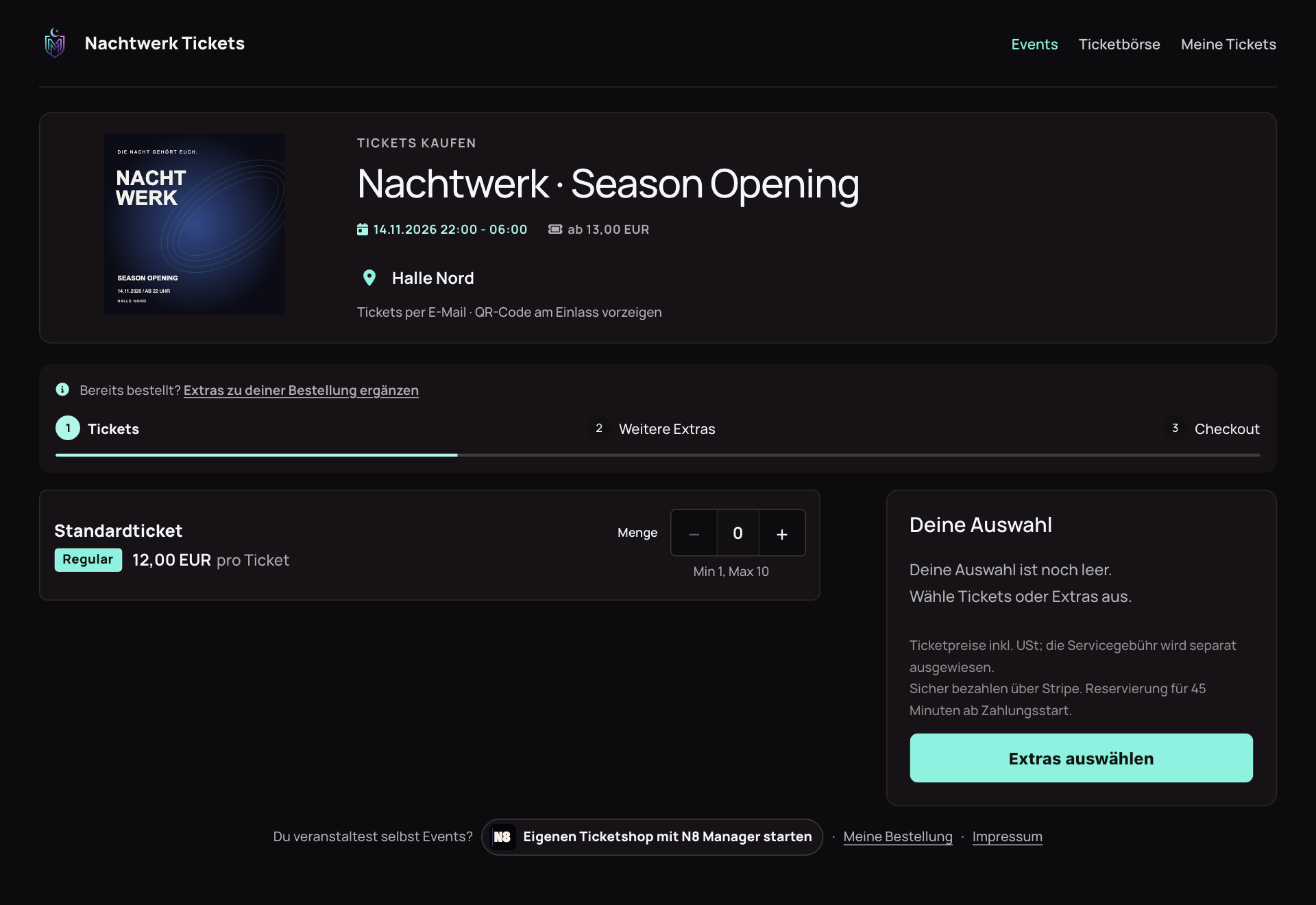
Product views displayed with sample data. Names and content are illustrative.
From Click to Ticket
Open the event and select ticket types – smoothly on desktop or smartphone.
Review the order and complete checkout securely.
Receive digital tickets via email and access them anytime in the attendee portal.
Your Pre-Sales
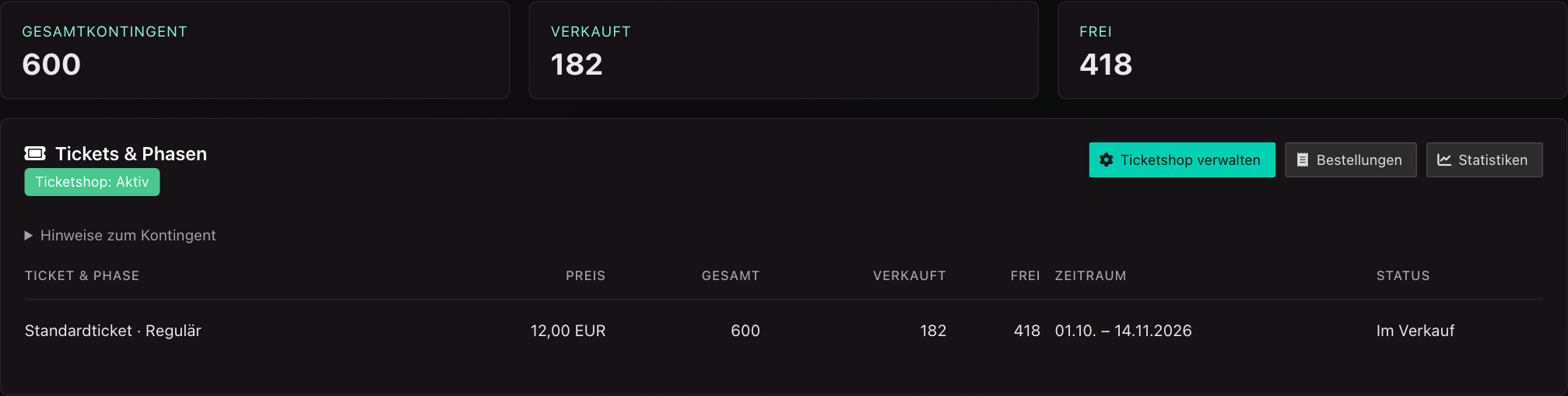
Manage tiered sales phases and ticket quotas. Track incoming orders, available inventory, and real-time revenue right alongside your event planning.
Operate a standalone white-label store or embed the sales widget into your existing website.
Beyond the Purchase
Attendees easily find tickets, receipts, and pre-ordered extras in their personal portal. Incoming inquiries are answered directly via the built-in support desk.
Unable to attend? For eligible tickets, attendees can start a resale directly from “My Tickets”.
From Ticket to Check-in ↗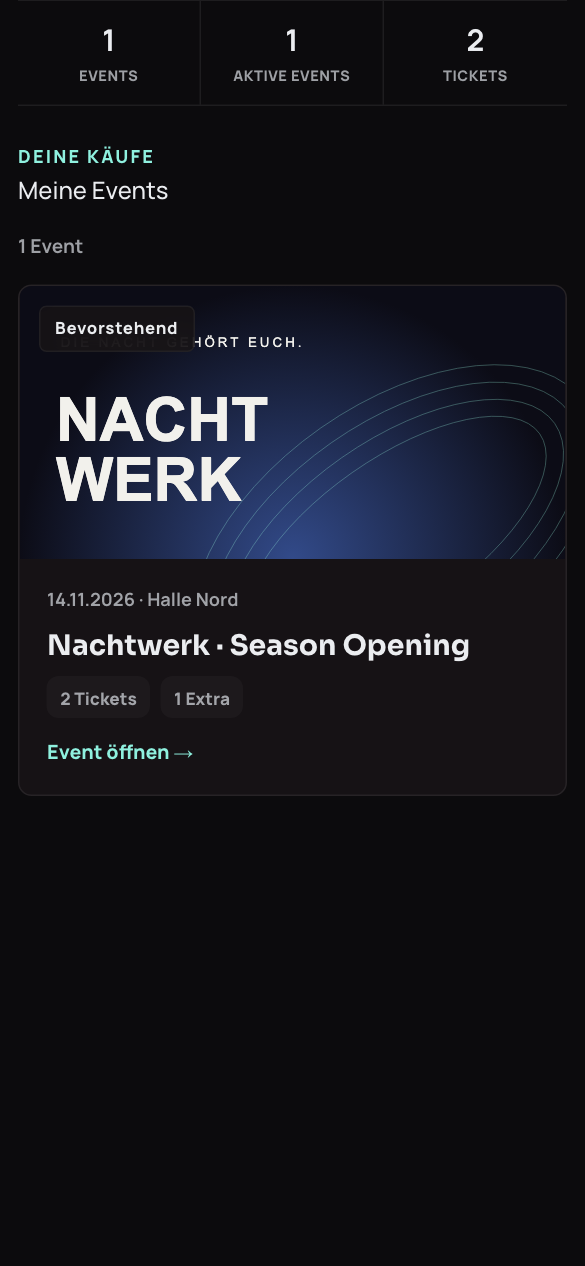
Official ticket resale
When attendees cannot make it, their tickets stay in your official sales channel. You decide which events and ticket types allow resale.
The attendee portal, marketplace and ticket transfer work together, from listing to the new ticket.
Explore resale in a demo ↗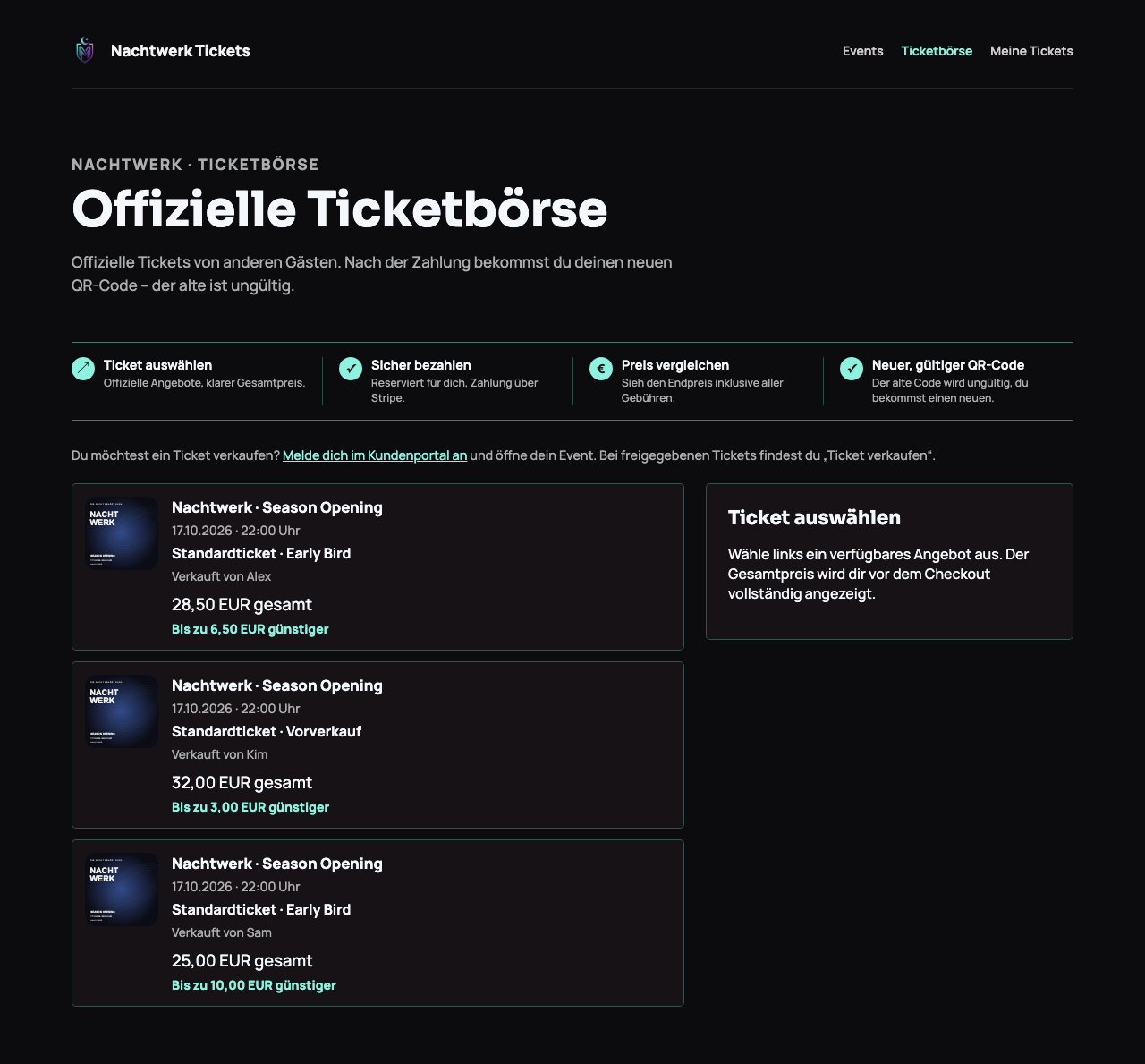
Attendees open their event in “My Tickets” and select “Sell ticket” for an eligible ticket.
Buyers choose an offer and see the total price including fees before payment.
After successful payment, the buyer receives a new ticket. The previous QR code becomes invalid.
Good to Know
Yes. You can embed the ticket shop directly as a widget or use the standalone portal. We will help you set up the ideal solution.
Yes. Add-ons like parking, festival camping, and merch can be purchased alongside admission tickets.
Platform onboarding, custom branding, and pricing terms are tailored personally to your event volume and operational needs.
With Eric · CEO
Tell Eric about your operational requirements. He will demonstrate matching features and discuss setup and individual terms.
Request Demo ↗