Install
Upload the plugin ZIP in WordPress under Plugins → Add New. You need a compatible N8 Manager instance with the WordPress interface enabled.
WordPress integration
Manage your events in N8 Manager. Choose which ones appear on each WordPress website and keep their information up to date automatically.
Download WordPress pluginVersion 2.0.14 · WordPress ≥ 6.7.2 · PHP ≥ 8.1

WordPress + N8 Manager
Upload the plugin ZIP in WordPress under Plugins → Add New. You need a compatible N8 Manager instance with the WordPress interface enabled.
Create a read-only website key in N8 Manager under Admin → Backup and integrations → WordPress connections. Enter your instance URL and key under Events → N8 Manager in WordPress.
Select the events for this website and enable automatic sync. New events are drafts by default; immediate publication is optional.
Connect several WordPress websites to the same instance. Each website keeps its own event selection. No separate brand assignment is required in N8 Manager.
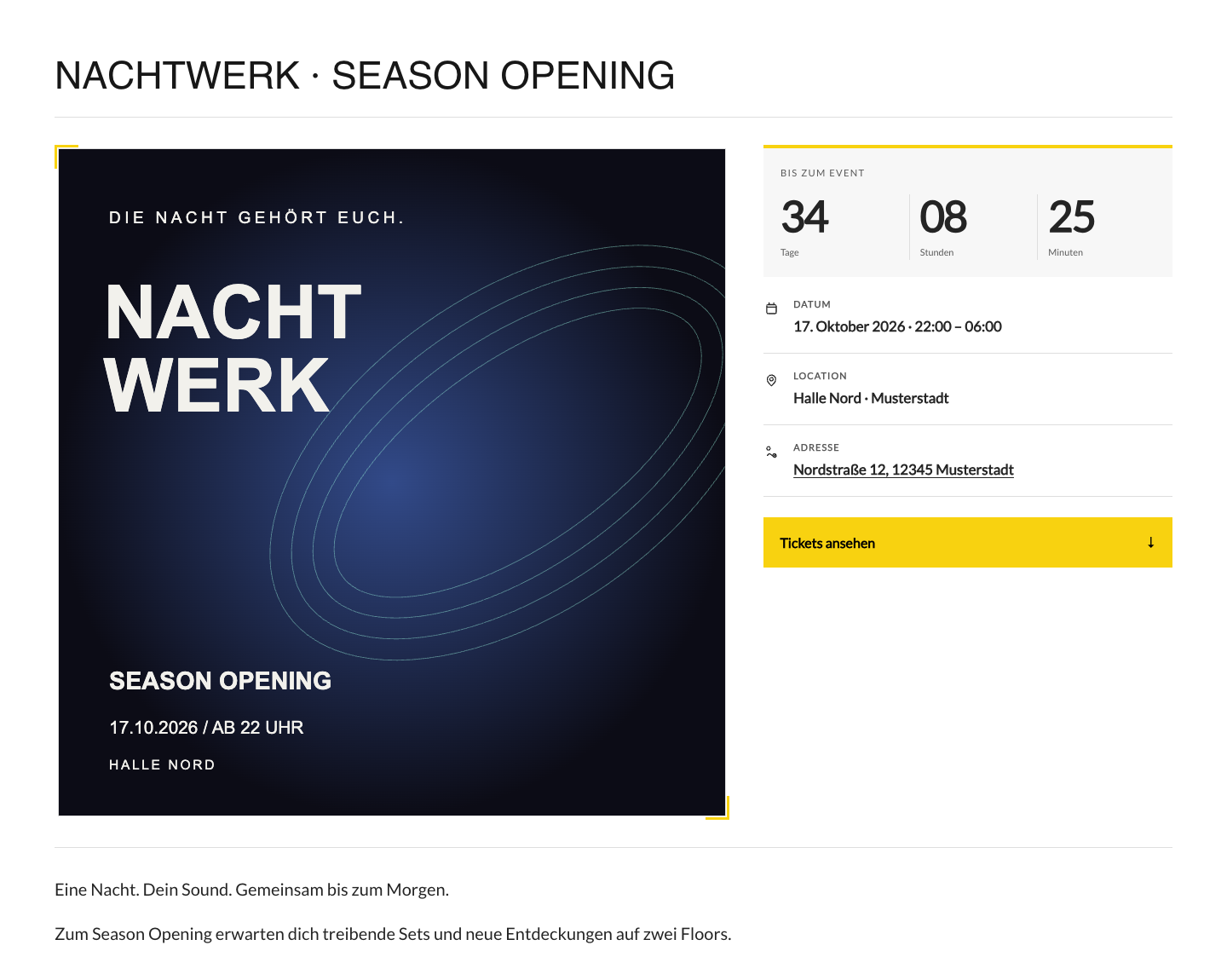
Light and dark layouts, your accent color and the fonts of your WordPress theme. Event images, a countdown when the start time is known and an embedded N8 ticket shop complete the page.
Selected event details are stored in WordPress and refreshed in small background batches. The event API is not called for every visitor. The embedded ticket shop still connects to your N8 instance.
WordPress Blocks
Choose Event Cards for a visual overview or Event Accordion for a compact, expandable list. Insert an N8 block in the WordPress editor and adjust the selection, number and columns. Upcoming published events are shown by default. Both views inherit your website fonts and plugin colors.


Approximately every 15 minutes through WordPress-Cron. Actual execution depends on site visits or a configured server cron. Sync status and errors are visible in the plugin.
No. You select the events for each website. New events are drafts by default. Deselected or no longer available linked events are moved to drafts after a complete successful sync; nothing is deleted automatically.
WordPress 6.7.2 or newer, PHP 8.1 or newer and a compatible HTTPS N8 Manager instance with the WordPress interface enabled. The plugin does not replace N8 Manager. Contact us if the interface is not available on your instance.
Yes. Custom HTTPS domains and installations in subdirectories are supported. Connect your instance using its website key.
The ZIP is available here for direct installation. A WordPress.org listing has not yet been approved.
WordPress + N8 Manager
We can help you enable the interface and connect your first website.
Ask about setup ↗